

TherapyCRM Check-In
Formerly TherapyCRM Attendance
iPad and iPhone · iOS 16.4 or later
Therapy clinic check-in on a shared iPad
TherapyCRM Check-In (formerly TherapyCRM Attendance) turns a shared iPad or iPhone into a front-desk check-in kiosk. Clients check in and out from today’s roster, staff record shifts and breaks, and attendance is saved to the practice record your team already uses. The app is free on the App Store and requires an active TherapyCRM practice account.

Screens from the app
Screens from a fictional demo practice.
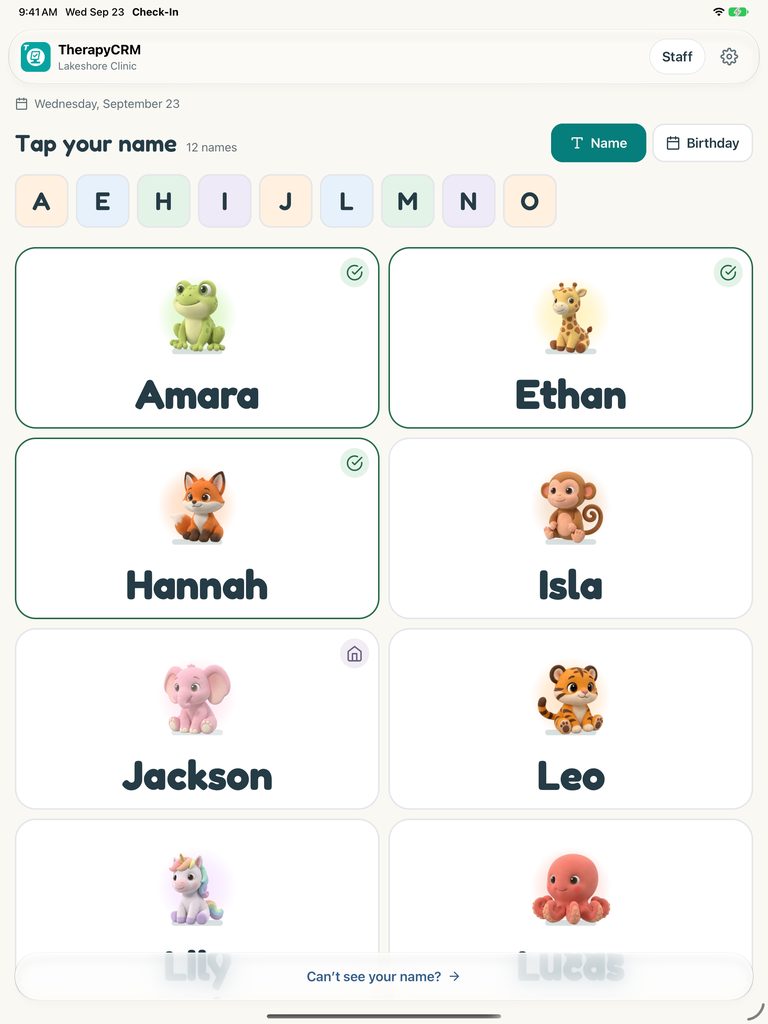
Tap your name
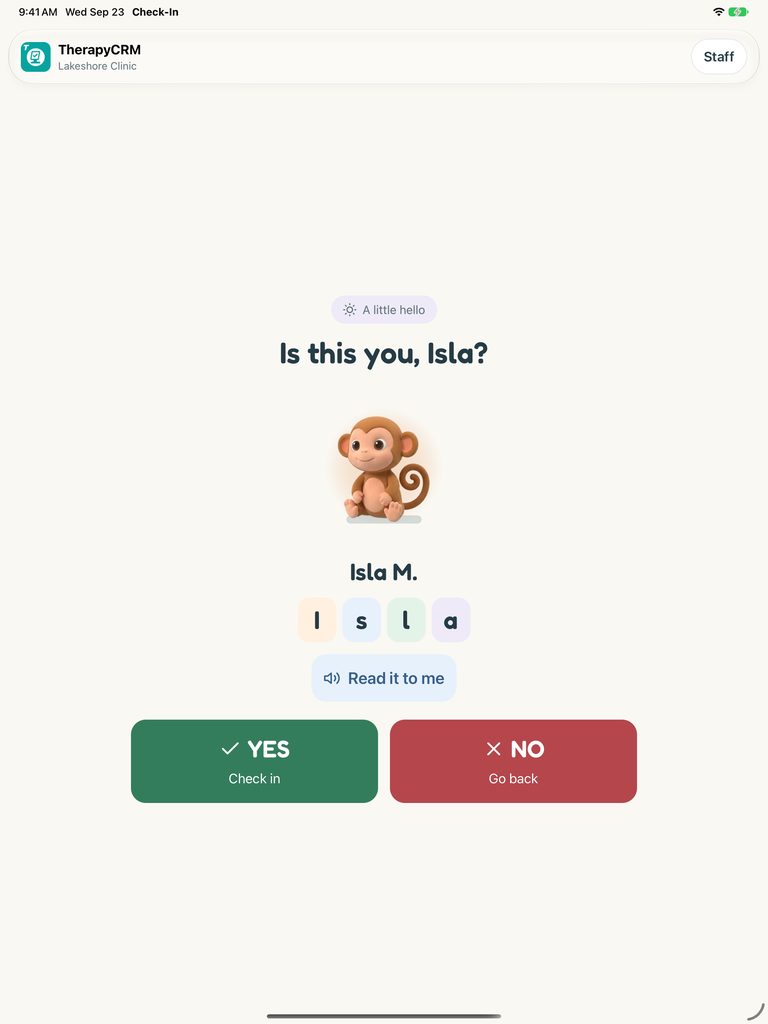
Confirm check-in
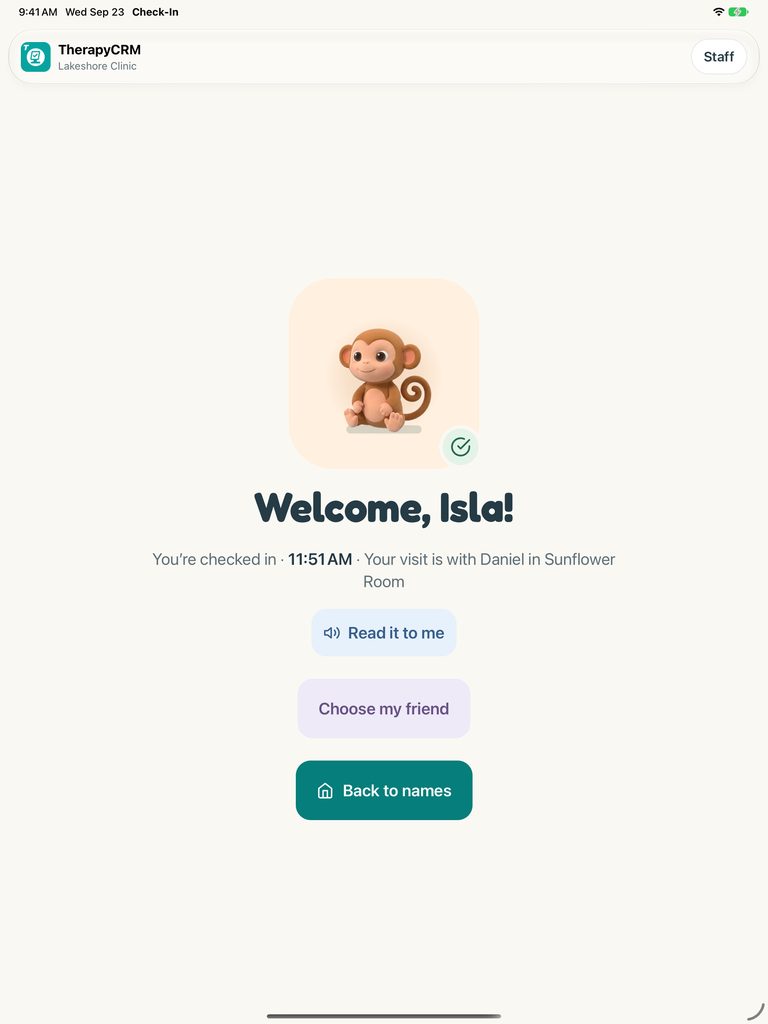
Welcome to your visit
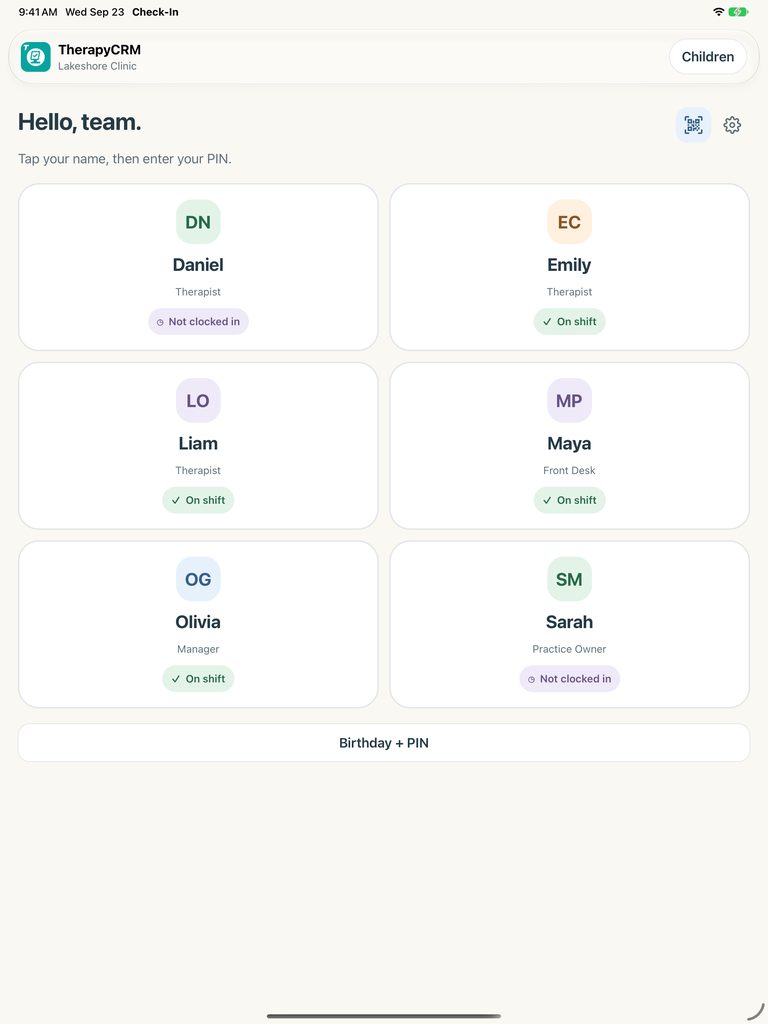
Staff clock in
Client arrivals, checkout and pickup
Clients find their name on today’s eligible roster using first-name letters or birthday choices. Large character tiles, clear confirmations and calm animations make check-in approachable for children and families. The app records arrivals, checkout and pickup details according to your practice settings.
Saved attendance is available to the practice’s authorized scheduling, session billing and attendance reporting workflows in TherapyCRM, so the front desk records a visit once.
Staff shifts and breaks
Staff sign in with their name and personal PIN, their birthday and PIN, or a rotating QR code scanned with the signed-in TherapyCRM Therapist app. Shifts and breaks are recorded against the staff member and reviewed in TherapyCRM.
Built for shared devices
An authorized practice administrator signs in to set up the device for a branch and chooses which sign-in methods are available. Staff reach kiosk settings with their personal attendance PIN only when their role permits it.
Client tiles keep information minimal. Accessible controls and Reduce Motion support accommodate different needs. A cached roster and queued client attendance cover brief network interruptions and synchronize when the connection returns.
Set up the kiosk
Download TherapyCRM Check-In from the App Store on the iPad or iPhone that will stay at the front desk. An administrator signs in with a TherapyCRM practice account and selects the branch. Test check-in and checkout with a fictional client before opening the kiosk to families.
Questions
Is TherapyCRM Check-In free?
The app is free to download from the App Store. It works with an active TherapyCRM practice account; see pricing for current plans.
Is this the TherapyCRM Attendance app?
Yes. TherapyCRM Attendance is now called TherapyCRM Check-In, and its Home Screen name is Check-In. Existing kiosks keep working after the update.
Which devices does it support?
iPad and iPhone running iOS 16.4 or later. Most practices use a dedicated iPad at the front desk.
Can staff clock in with the same device?
Yes. Staff can record shifts and breaks with a personal PIN, a birthday and PIN, or the rotating QR code shown to the TherapyCRM Therapist app, depending on the sign-in methods your practice enables.
What happens if the Wi-Fi drops?
The app keeps a cached roster and queues client attendance during brief interruptions, then synchronizes when connectivity returns. Check the synchronization status before relying on an offline record.